
Webforms
Navigating to the Webform Section
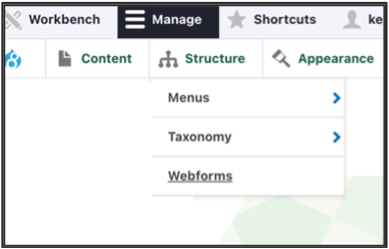
To access the webform section of the CMS, make sure you're logged into your account, and click Webforms under the Structure menu.
Adding, Editing & Deleting Webforms
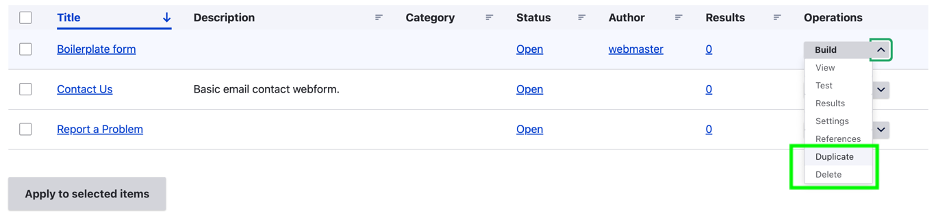
- Adding a Webform: to create a new webform, click the Add webform button.
Editing a Webform: to edit an existing webform, find the webform you'd like to edit and click the Build option

- Deleting or Duplicating a Webform: to delete a webform, use the Operations drop down menu to select Delete or Duplicate.
Viewing Submissions for Existing Webforms
To view the submissions to date for an existing webform, click the number under the Results column:

We want to hear from you!
Our team at Upanup is always striving to make this guide better and more accessible for our clients. We’d love to hear from you, so we can continue to improve this guide.